One tap logs the planned meal.
The meal plan you built is in their app. One tap logs the planned meal; a swap handles the day they have salmon instead of chicken. You see what they ate against their targets.
No credit card · A$69 a month after · Unlimited clients
What your client sees
In their app, not in a message to you.
- Today’s meals from the plan, with the method.
- One tap to log a meal as planned.
- A swap for any ingredient, with the numbers updating.
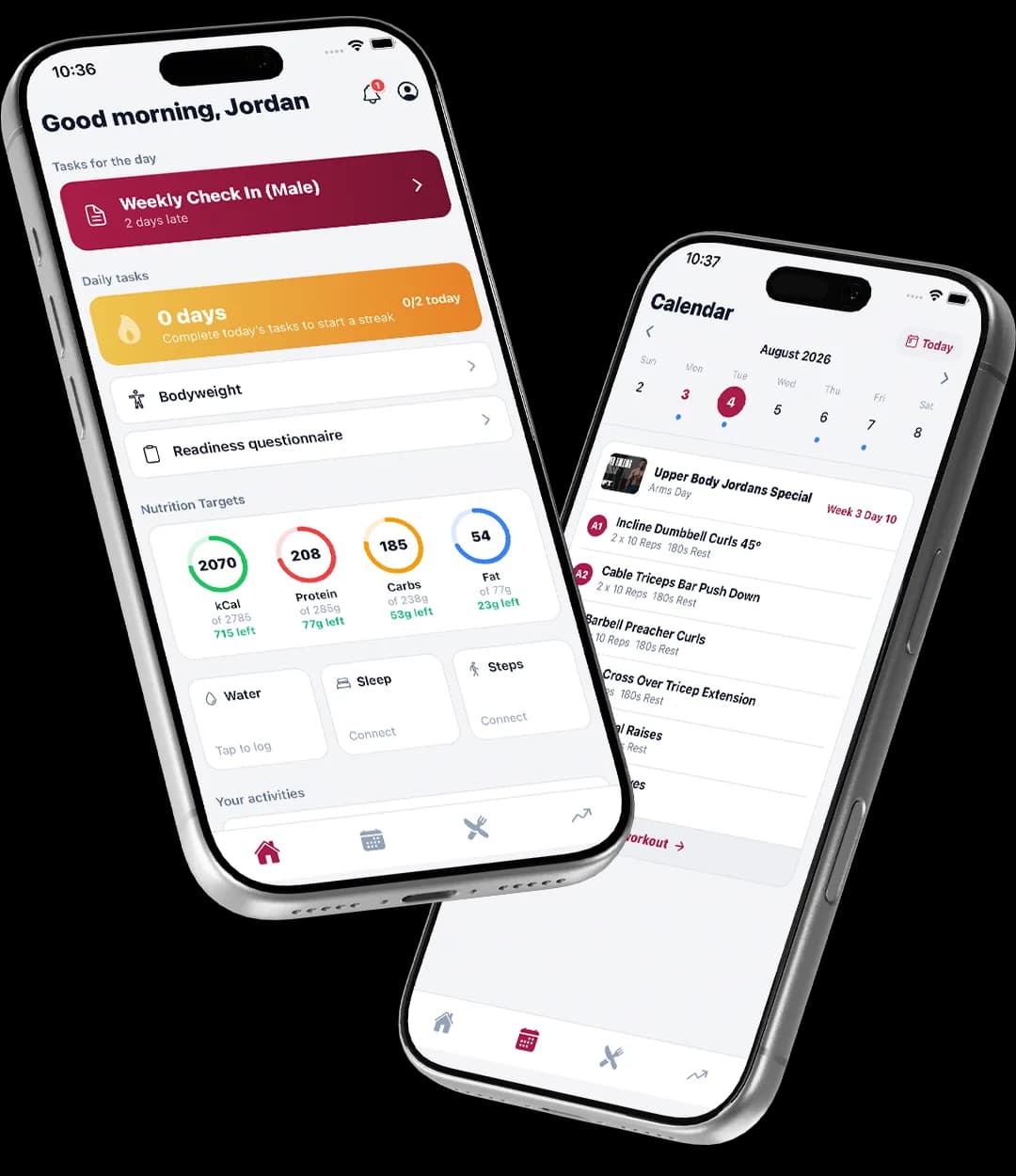
Logging that takes a tap
- A planned meal goes into the diary in one tap.
- No searching a database for food they were told to eat.
- Adherence goes up when logging is this easy.
Swap, don’t abandon
- Swap any ingredient in a planned meal and the diary updates.
- Verified ingredients, so the swapped meal’s macros are real too.
- The plan stays the plan; the diary records what happened.
What you see
- Nutrition for the week in the check-in review, next to weight, steps and sleep.
- Targets and allergens on the client’s Nutrition tab.
- Enough to coach the conversation, not a spreadsheet to decode.
Compare
Most coaching apps sell this as an add-on.
| Feature | TrainerStack | Trainerize | Everfit | Kahunas | HubFit |
|---|---|---|---|---|---|
| Meal plans and recipes | Included, fitted by the gram | Add-on, US$20–45/mo | Add-on, US$39/mo | No recipe builder | From the US$69 plan |
From each vendor’s own pricing pages on 8 October 2026. “Not on their published plans” means we couldn’t find it there, not that it can’t be done. Full comparisons and sources
Pricing
Included on the one plan.
A$69 a month at the founding price, unlimited clients, every feature. 30 days free, no credit card.
Is the diary free for clients?
Yes. The client app, including the diary, is free for your clients.
Can clients log food that is not on the plan?
They can swap any ingredient in a planned meal. The diary is built around the plan you set rather than open-ended tracking.
Where do the macros come from?
From the same verified ingredient database the meal plans are built on, so a swapped meal is calculated, not guessed.
Do I need a separate nutrition app?
No. Meal plans, recipes, the calculator and the diary are included and live in the same app as training and check-ins.
How to set it up
- Set macro targets and build a meal planCalculate a client's calories and macros, record their allergens, and build their first plan.Read the guide
- Meal options, rest days and auto-splitGive a meal two or three choices, build a separate rest-day plan, and let the builder split the day's targets across meals.Read the guide
- Create and review check-insSet up a recurring check-in for a client, see what they submit, and leave feedback they can read.Read the guide
Put the plan in their pocket today.
30 days free, no credit card. The client app is free.