Weekly check-ins, photos and weight, ready to review.
A questionnaire on a schedule, completed in the client’s app. Numbers become a timeline, photos sit beside earlier ones, and your feedback lands in their app once you mark it reviewed.
No credit card · A$69 a month after · Unlimited clients
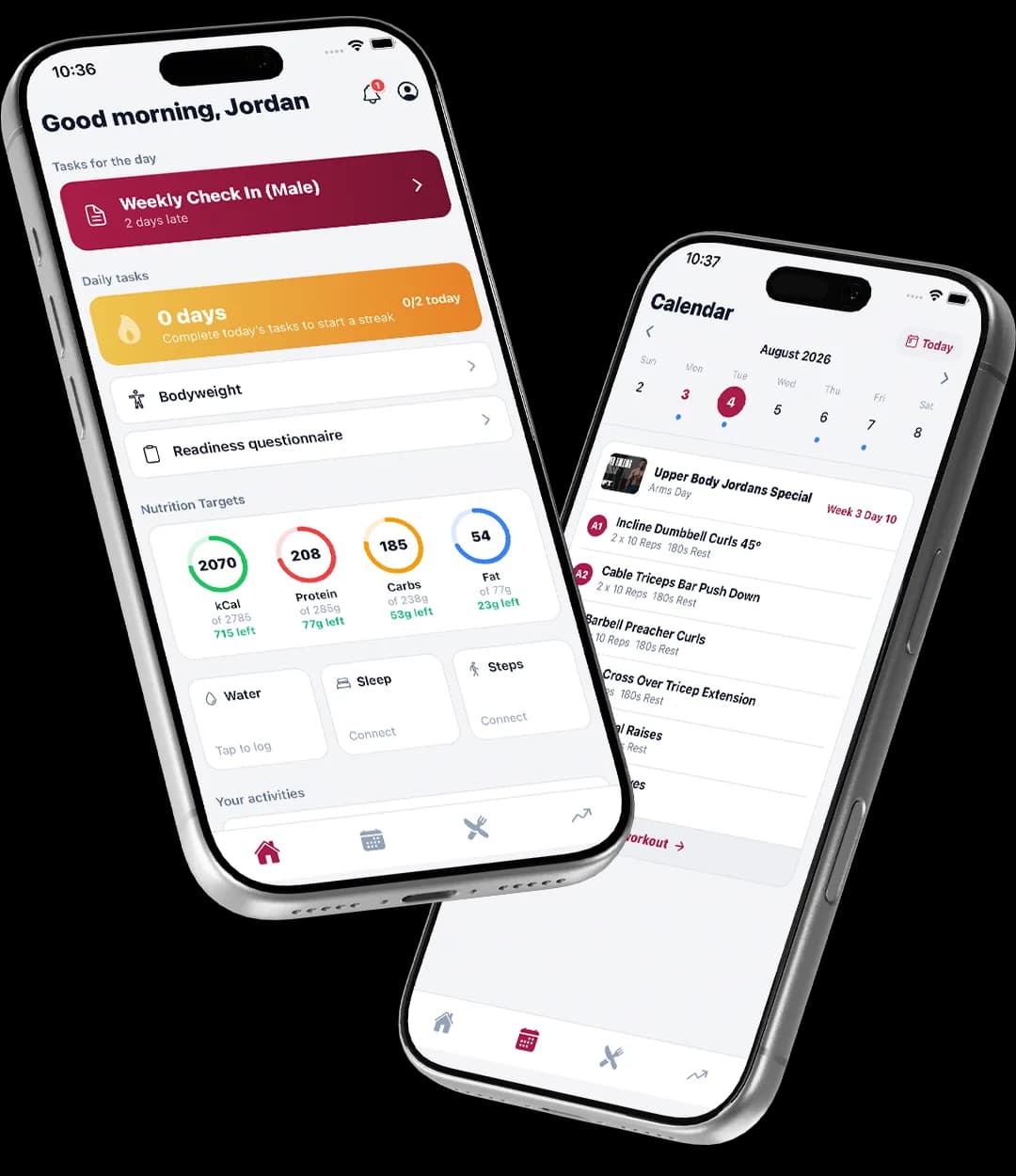
What your client sees
In their app, not in a message to you.
- The check-in on its due day, in the app.
- Body weight, photos and your questions in one form.
- A Trainer feedback card once you have reviewed it.
Templates, theirs or yours
- Two read-only defaults to start with, or duplicate one and edit.
- Questions in text, number, scale, choices, yes or no, progress photos and body weight.
- Track as a metric on any number you want charted.
On a schedule
- Weekly, fortnightly or monthly, on the day you choose.
- The client sees it in their app on the due day.
- You get a notification when they submit.
Review in one place
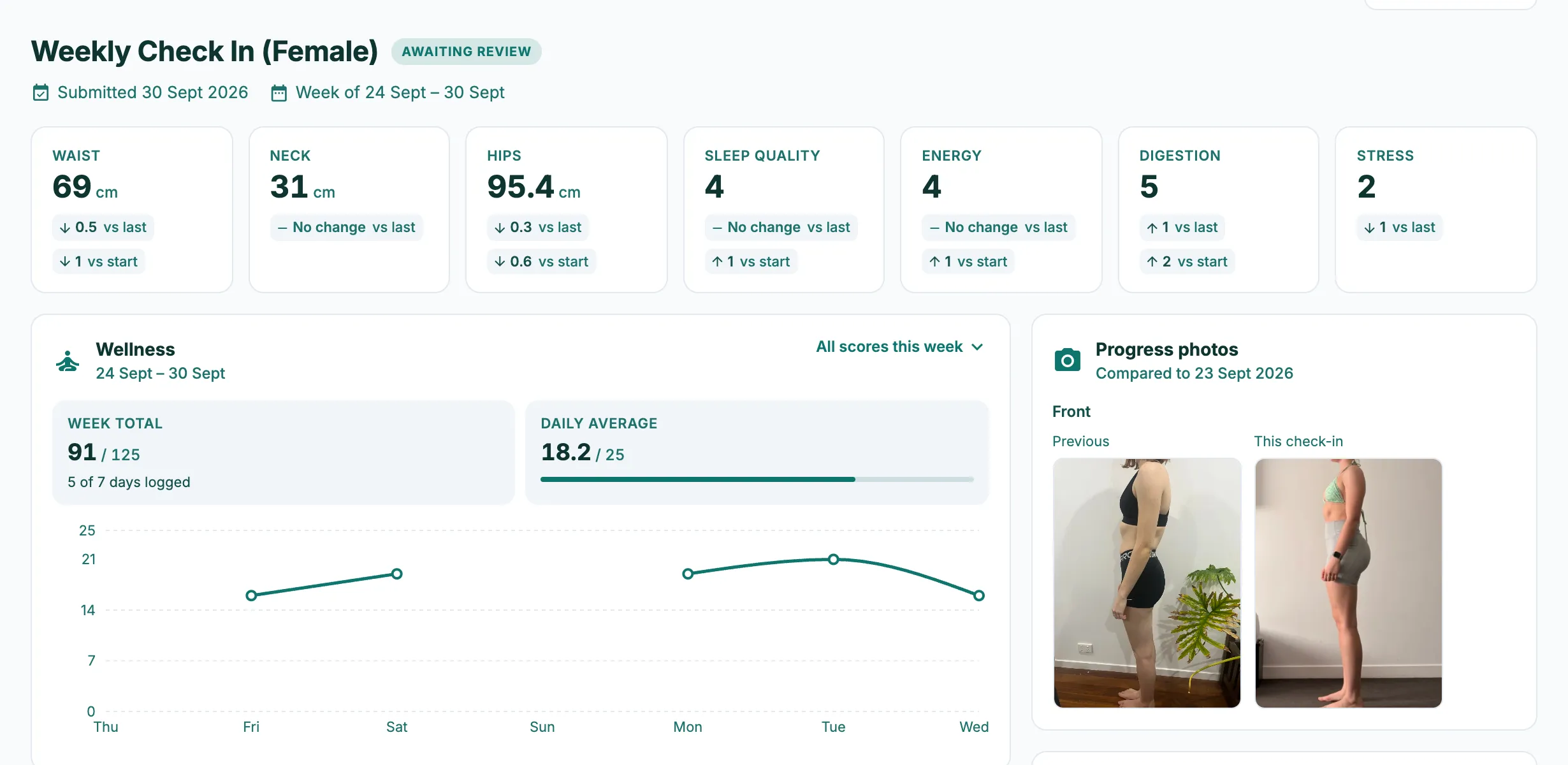
- Every client shows a pill: overdue, pending, complete or not set up. Complete and awaiting your review is the one to open.
- Metric cards, weight trend, wellness, nutrition, steps and sleep for the week, then their answers.
- Click any photo to compare with an earlier date and zoom.
Feedback they can read
- Write your notes under Trainer feedback and mark reviewed.
- The client sees your feedback and the date in their app.
- Check-ins to review shows on your dashboard each morning.
Compare
Most coaching apps sell this as an add-on.
| Feature | TrainerStack | Trainerize | Everfit | Kahunas | HubFit |
|---|---|---|---|---|---|
| Unlimited clients | On the one plan | Priced by client count | Priced by client count | $99 plan only | Capped by plan |
From each vendor’s own pricing pages on 8 October 2026. “Not on their published plans” means we couldn’t find it there, not that it can’t be done. Full comparisons and sources
Pricing
Included on the one plan.
A$69 a month at the founding price, unlimited clients, every feature. 30 days free, no credit card.
Can clients upload progress photos?
Yes. A progress photos question in the template, and photos open in a compare view against any earlier date.
How often can I run a check-in?
Weekly, every two weeks, or monthly (every 28 days), on the day you pick.
Do I have to use the default template?
No. Duplicate a default and edit it, or build your own from scratch.
Does the client see my notes straight away?
Only once you mark the check-in reviewed. Until then your notes are private.
Is it included?
Yes, on the one plan.
How to set it up