FeaturesFor your clients
An app your clients actually open.
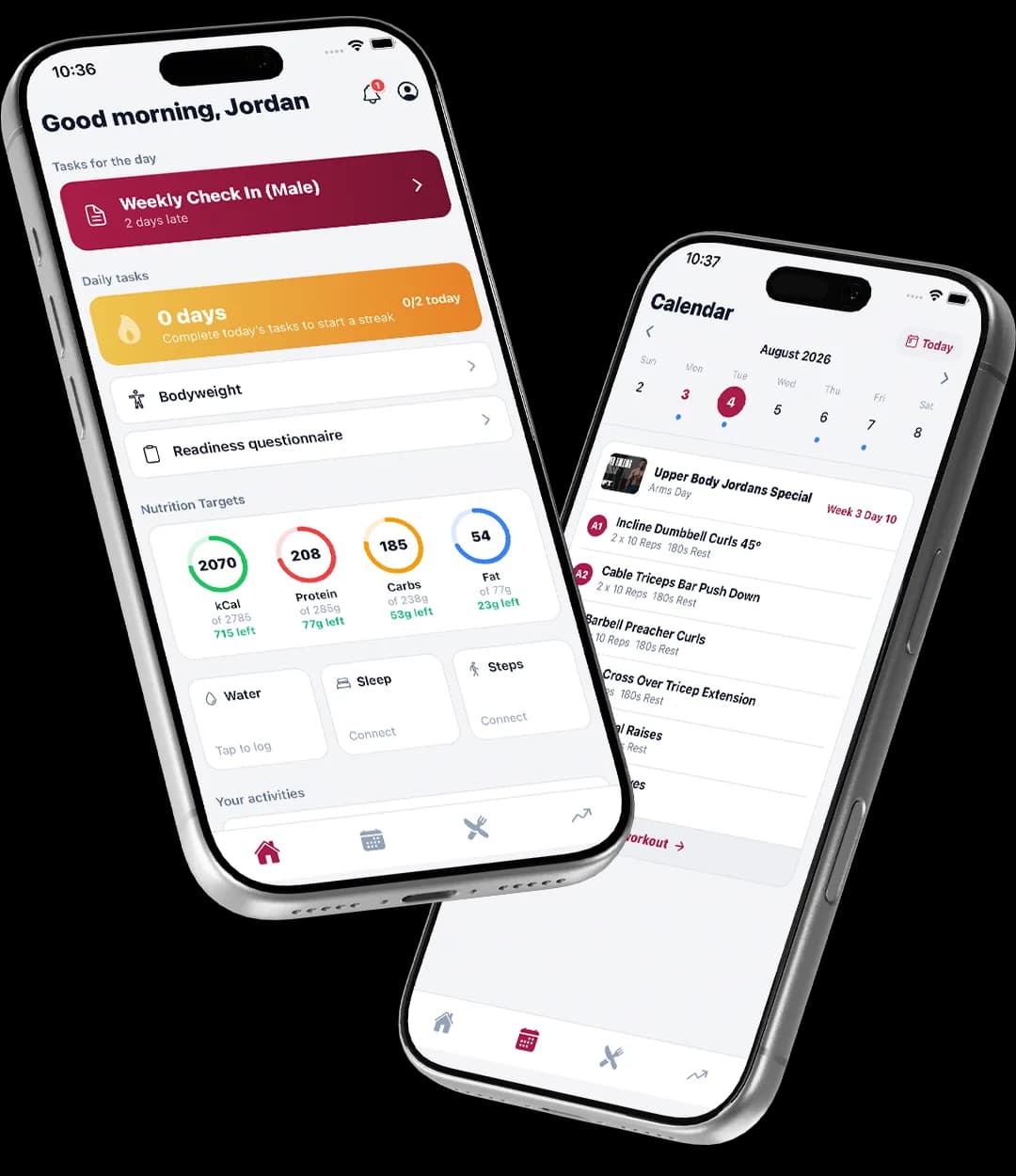
Today’s workout, this week’s meals, their check-in, their sessions and their payments, in one free app with your business behind it.
Free for clients · iPhone now, Android in Google Play testing · Your branding inside
What’s inside
Everything you set up, in their pocket.
- TodayTheir next session, today’s workout and today’s meals on one screen.
- WorkoutsEvery set, rest and note from the program you pushed. They log as they go and see a summary at the end.
- NutritionThe meal plan with the method, a one-tap food diary, and a swap for any ingredient.
- Check-insWeight, photos and your questions on the day they are due, and your feedback once you review it.
- ProgressMetrics charted over time, exercise history, and photos side by side with earlier ones.
- SessionsThis week’s sessions with reminders, and a tap to confirm.
- PaymentsTheir plan, a link to pay, and a way to update a card when one fails.
- Vault and chatThe guides and files you share, and a chat thread with you.
Getting them in
Invited from their record, logging the same day.
- Click Send invite on the client’s profile. They get an email with a button and an 8-digit code.
- They install TrainerStack, enter the code, choose a password, and they are in.
- Programs, meal plans, check-ins and Vault folders appear as you publish them.
- Chat opens the moment their account is active.
Pricing
Free for every client, on the one plan.
A$69 a month for you at the founding price, unlimited clients, every feature. Clients pay nothing for the app.
Do my clients pay for the app?
No. The TrainerStack client app is free for your clients, always.
How do clients get in?
You send an invite from their client record. They install TrainerStack from the App Store, enter the 8-digit code (or tap the link, which fills it in), choose a password, and they are signed in. The invite lasts 14 days and works once.
Is there an Android app?
The client app is on iPhone now and in Google Play testing for Android. The trainer side runs in any browser on desktop, tablet or phone.
Can clients see their payments?
Yes. Their plan, what is due, a link to pay, and a way to update a failed card are in the app.
Is it branded?
Your logo, colours and splash screen from Settings appear inside the app, so it looks like your business.
What if a client cannot sign in?
Resend the invite from their record. The guide on sign-in problems covers the rest.
How to set it up
- Add a client and invite them to the appCreate the client with their plan, then send the invite that gets them in.Read the guide
- When a client cannot sign inExpired invites, wrong emails and what to resend.Read the guide
- Set up your defaults and brandingThe logo, colours and splash screen the app shows your clients.Read the guide
Invite your first client today.
30 days free, no credit card. The app is free for them, always.