A calendar that knows who has paid.
Recurring sessions, blocked time, a public booking page and reminders that reach the client’s phone, with every session tied to the pack or plan that pays for it.
No credit card · A$69 a month after · Unlimited clients
What your client sees
In their app, not in a message to you.
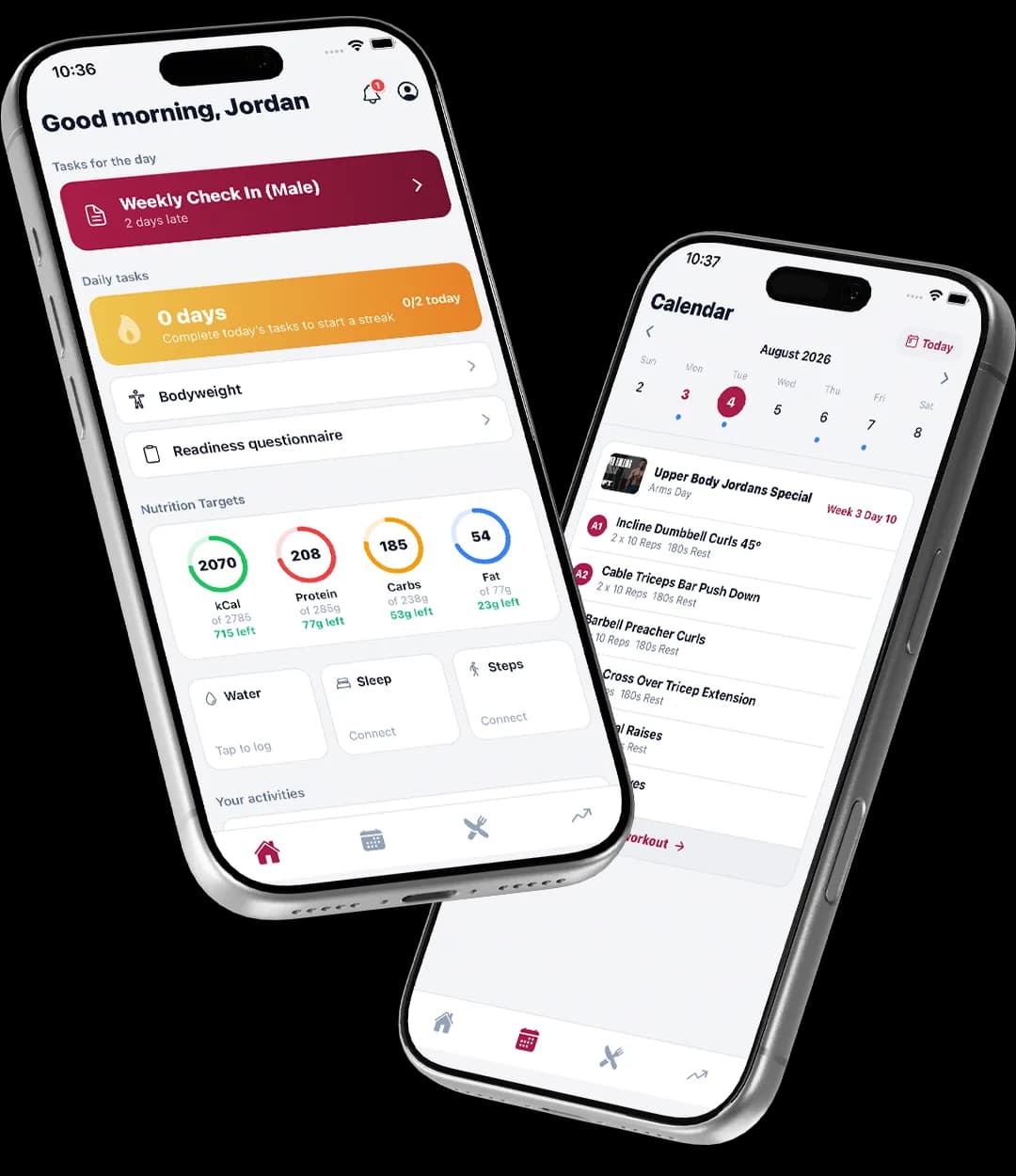
- This week’s sessions, with a reminder before each one.
- A tap to confirm, so you know who is turning up.
- Your free times, if you let them book themselves.
Book once, repeat weekly
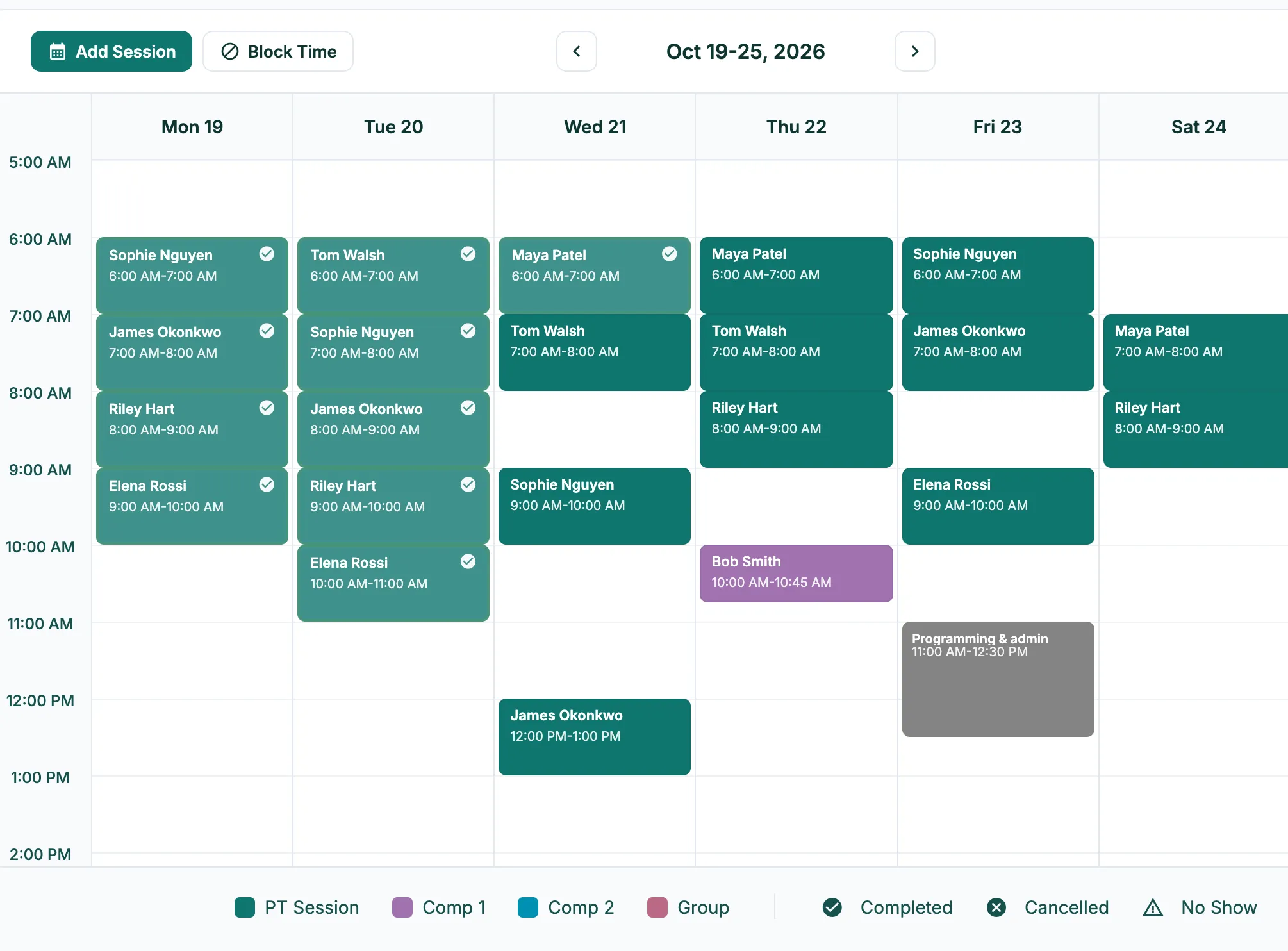
- Set a session to repeat and the whole series lands on the calendar.
- Move one session, or every one from here on, when plans change.
- Block time off and nothing can be booked over it.
Prospects book themselves
- Your public booking page only offers free times inside the hours you set, never over a session or blocked time.
- A booking lands on your calendar as a consultation and the lead is marked Booked.
- They get a confirmation, a reminder the day before and another 30 minutes out.
Reminders in the client app
- Session reminders go to the client’s phone for them to confirm.
- Clients see the week ahead in the same app as their program and meal plan.
- Face to face or by video: set a default meeting link once and every online session carries it.
Logging a session keeps the billing right
- Mark a session complete, no-show or cancelled from the calendar.
- That is what uses a pack credit and counts towards a subscription period.
- The same mark feeds your analytics, so attendance and revenue come from one place.
Made in Australia
Built for 6am on a gym floor
The calendar runs in your own timezone and the app is hosted in Sydney, so it is quick between sessions. Consultations can be in person at your address or by video with your own meeting link.
Compare
Most coaching apps sell this as an add-on.
| Feature | TrainerStack | Trainerize | Everfit | Kahunas | HubFit |
|---|---|---|---|---|---|
| Unlimited clients | On the one plan | Priced by client count | Priced by client count | $99 plan only | Capped by plan |
| Priced in Australian dollars | A$, hosted in Sydney | US$ | “$”, add-ons in US$ | USD, GBP or EUR | US$ |
From each vendor’s own pricing pages on 8 October 2026. “Not on their published plans” means we couldn’t find it there, not that it can’t be done. Full comparisons and sources
Pricing
Included on the one plan.
A$69 a month at the founding price, unlimited clients, every feature. 30 days free, no credit card.
Can clients book their own sessions?
Leads and clients can book into your free times from your public booking page. Regular training sessions you book from the calendar, usually as a weekly repeat, and clients confirm them from the app.
Do reminders cost extra?
No. Confirmations and reminders for booking-page consultations, and session reminders in the client app, are included.
What if I train at a gym and online?
Each session has a where: in person at an address, or a video call with a meeting link. Set a default meeting link once under Settings and online sessions pick it up.
How do packs and the calendar fit together?
Marking a session complete uses one credit from the client’s pack, or counts towards their subscription period. The calendar shows which sessions are covered, so you can see at a glance who is paid up.
Can I block out time?
Yes. Blocked time keeps the booking page from offering those hours and stops anything being booked over them.
How to set it up
- Book, reschedule and log sessionsAdd sessions and blocked time, set up repeats, move things, and mark outcomes so billing stays right.Read the guide
- Set up your booking pageLet prospects book a free consultation straight into your calendar, with reminders sent for you.Read the guide
- Add a client and invite them to the appCreate a client with their plan, then send the invite that gets them into the TrainerStack client app.Read the guide
Set your week to repeat today.
30 days free, no credit card. Your booking page is live in ten minutes.